European bank sync for YNAB

Sync Danske Bank transactions to YNAB automatically

Danske Bank is Denmark’s largest bank. Danish YNAB users can automate eBanking downloads with BudgetSyncer. If you bank with Danske in Finland, use the separate guide at /sync/danske-bank-finland-to-ynab. Use BudgetSyncer to sync new transactions from Danske Bank to YNAB automatically. Built for European users and approved by YNAB.

Support status

Search for Danske Bank under Denmark in BudgetSyncer’s bank directory to confirm your account.

Listed by our open banking partner and described from current product behaviour — not a separate operator test of every account type.

Account types
Danske Bank Denmark current and savings accounts returned after authorize — map each to a YNAB account.
Credit cards
Bank-dependent. Credit card accounts can sync where your bank exposes them through open banking. Availability varies by bank and country — confirm the accounts returned after you authorize.
Sync behaviour
Transactions sync automatically on your chosen schedule (default twice per day; you can add or change sync times on the connections page). Exact local times are shown for your timezone. You can also start a manual sync anytime from BudgetSyncer. With Enable Banking there is no separate daily limit on user-triggered syncs (banks may still delay publishing transactions).
Limitations
  • You can map up to 4 bank accounts per institution connection. Extra bank connections each get their own mapping allowance.
  • This guide is for Denmark — Finnish Danske customers should use /sync/danske-bank-finland-to-ynab.
  • PSD2 consent expires on Danske’s schedule — reconnect when prompted.
  • Credit cards appear only when Danske exposes them through open banking.
Last reviewed
2026-09-30
Evidence
Based on current product behaviour and open banking responses

YNAB Direct Import

YNAB Direct Import (Plaid) only covers select banks in Denmark — many users still CSV-import from Danske Bank. BudgetSyncer uses open banking where Danske Bank is listed in Enable Banking.

How it works with Danske Bank

Connect your Danske Bank account through secure open banking — you authenticate at your bank, not with BudgetSyncer.

Connect your YNAB budget with OAuth so BudgetSyncer can import transactions into the accounts you choose.

BudgetSyncer imports new Danske Bank transactions into YNAB automatically. Transactions sync automatically on your chosen schedule (default twice per day; you can add or change sync times on the connections page). Exact local times are shown for your timezone.

Why people use it

No manual CSV imports from online banking.

Less delay in keeping your YNAB budget current.

A simpler budgeting workflow — categorization and reconciliation stay in YNAB.

Good fit for

YNAB users in Denmark who bank with Danske Bank.

People tired of manual bank imports or broken Direct Import connections.

Anyone who wants automatic transaction syncing without storing bank passwords in a third-party app.

Why syncing Danske Bank to YNAB is still painful

Danske Bank is one of the most searched banks among European YNAB users in Denmark. The budgeting method works — but keeping accounts current when your bank and YNAB do not talk to each other creates weekly friction.

YNAB offers Direct Import in Denmark through Plaid, but coverage is limited to certain institutions — and Danske Bank is often not on the list, or the connection breaks after credential changes. Many Danske Bank customers still export CSV files from online banking and import them manually each week.

Even when imports work, the process is fragile: export formats change, pending transactions appear twice, and your YNAB budget is only as fresh as your last upload. If you share a budget with a partner or track multiple Danske Bank accounts, the manual work multiplies.

How BudgetSyncer connects Danske Bank to YNAB

BudgetSyncer is a YNAB-approved integration built for European YNAB users who want automatic bank sync without storing bank passwords. You connect YNAB once with OAuth, then authorize Danske Bank through regulated PSD2 open banking (via Enable Banking). BudgetSyncer reads transactions and imports them into the YNAB accounts you choose.

Your Danske Bank login never passes through BudgetSyncer — authentication happens on your bank's own secure consent screen, the same flow used by other open-banking apps in Denmark. Access is read-only: BudgetSyncer cannot move money or change account settings.

Transactions sync automatically on your chosen schedule (default twice per day; you can add or change sync times on the connections page). Exact local times are shown for your timezone. You can also start a manual sync anytime from BudgetSyncer. With Enable Banking there is no separate daily limit on user-triggered syncs (banks may still delay publishing transactions). BudgetSyncer uses stable bank transaction IDs so pending and booked versions of the same payment do not create two YNAB rows, and on reconnect it skips overlaps that already match date, amount, and payee in YNAB. YNAB also applies its own import ID rules when transactions arrive. BudgetSyncer also focuses on keeping the feed from Danske Bank reliable, including notifications when bank consent needs renewal.

Step-by-step: sync Danske Bank transactions to YNAB

Step 1 — Create a free BudgetSyncer account and sign in. You can browse supported banks and connect YNAB before subscribing. No credit card is required to explore whether Danske Bank appears for Denmark in the bank directory.

Step 2 — Connect YNAB with OAuth. BudgetSyncer requests permission to read your budgets and accounts and to create transactions in the YNAB accounts you select. You can revoke access anytime from YNAB or BudgetSyncer.

Step 3 — Add a bank connection and select Denmark in the country picker. Search for Danske Bank. If your branch or subsidiary appears under a slightly different name, pick the listing that matches your account — open banking directories sometimes use legal entity names.

Step 4 — Complete Danske Bank's authorization flow in your browser. Your bank may ask you to confirm access in its mobile app or with strong authentication. Once approved, BudgetSyncer can read new transactions from the accounts linked under that connection.

Step 5 — Map each Danske Bank account to the correct YNAB account and enable sync when you subscribe. New transactions flow into YNAB automatically. Review imports in YNAB as you normally would; categorization and reconciliation stay in YNAB.
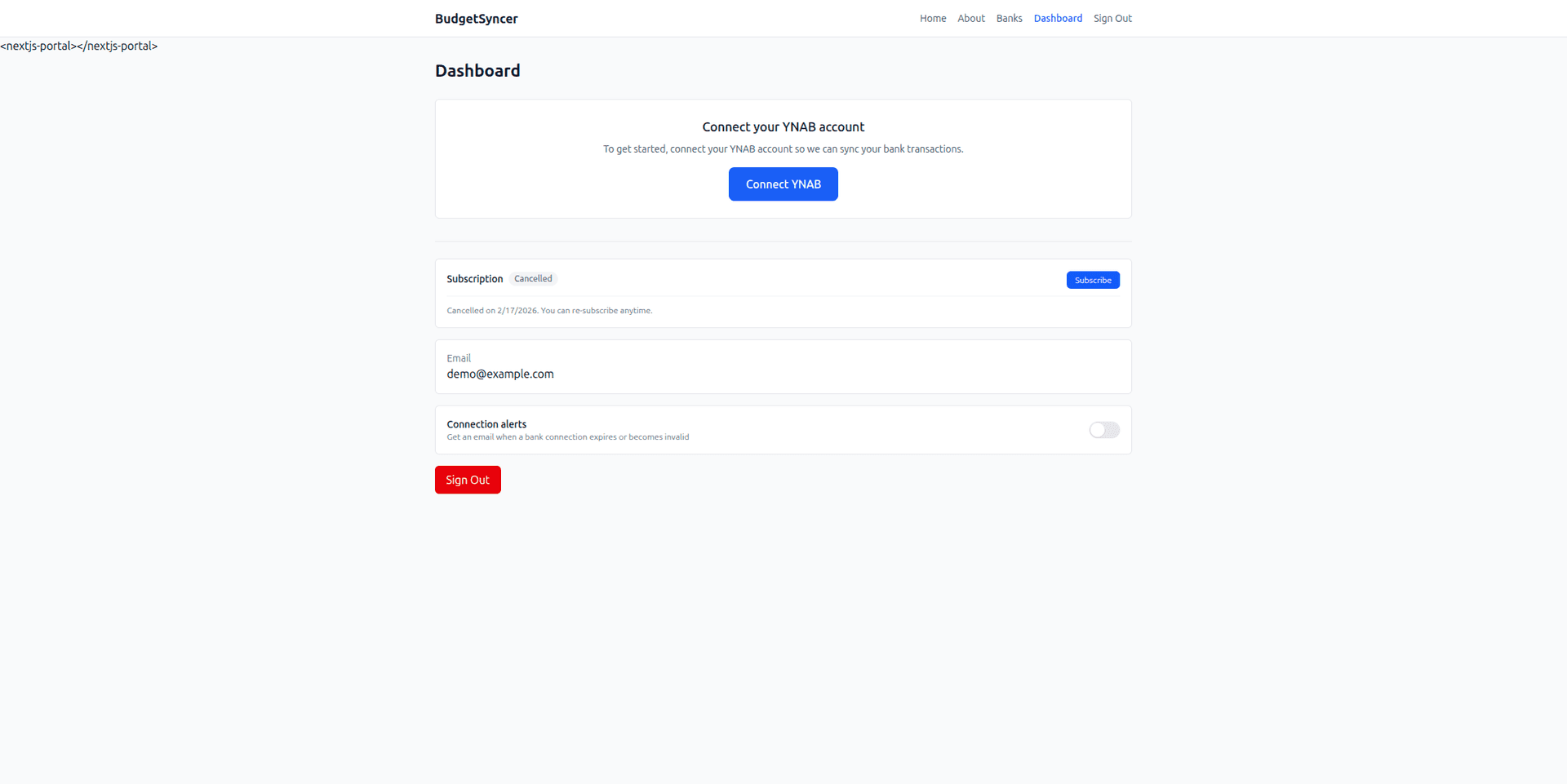
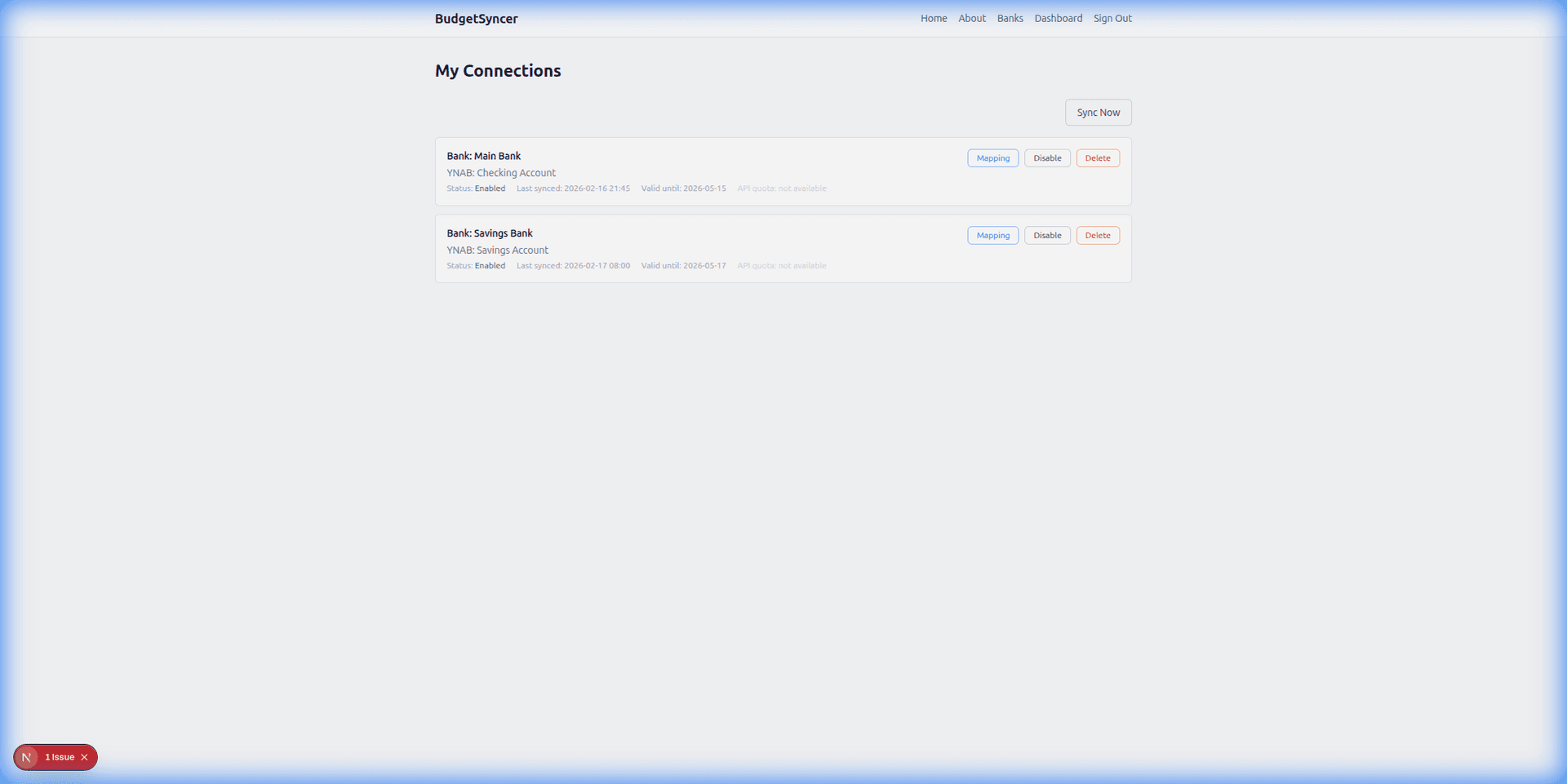
Security and PSD2 open banking with Danske Bank

Bank connections run through Enable Banking, a PSD2-regulated provider. BudgetSyncer does not store your Danske Bank credentials. Consent expires under EU rules — when it does, you re-authorize through a short in-app flow.

You can disconnect Danske Bank from BudgetSyncer or revoke consent directly at your bank. We store only OAuth tokens and mapping settings needed to sync while your subscription is active, as described in our privacy policy.

What to expect after connecting Danske Bank

Most users complete setup in under five minutes. After the first sync, check YNAB for imported transactions from Danske Bank and confirm payee names look right. You can adjust field mapping in BudgetSyncer if you want cleaner memos or payees.

Running a shared YNAB budget? One Danske Bank connection covers one bank institution login. You can map up to 4 bank accounts per institution connection. Extra bank connections each get their own mapping allowance. Map checking and savings to different YNAB accounts within that allowance without using an extra connection slot. Need another bank too? Each additional institution adds to your monthly bill. Cancel anytime from account settings; bank consent can also be revoked at Danske Bank directly.

If Danske Bank is not listed for Denmark, use the unsupported-bank form on this page — we track demand and expand coverage as Enable Banking adds institutions. Pricing starts at 4.99€/month for 2 bank connections (one institution each), with +1.00€/month for each additional institution. New subscribers get a 7-day free trial, so you can sync Danske Bank before the first charge and cancel anytime.

Sync behaviour with Danske Bank

Transactions sync automatically on your chosen schedule (default twice per day; you can add or change sync times on the connections page). Exact local times are shown for your timezone. You can also start a manual sync anytime from BudgetSyncer. With Enable Banking there is no separate daily limit on user-triggered syncs (banks may still delay publishing transactions).

BudgetSyncer uses stable bank transaction IDs so pending and booked versions of the same payment do not create two YNAB rows, and on reconnect it skips overlaps that already match date, amount, and payee in YNAB. YNAB also applies its own import ID rules when transactions arrive.

One Danske Bank connection covers one bank institution login. You can map up to 4 bank accounts per institution connection. Extra bank connections each get their own mapping allowance. Map checking and savings to different YNAB accounts within that allowance without using an extra connection slot.

Limitations with Danske Bank

You can map up to 4 bank accounts per institution connection. Extra bank connections each get their own mapping allowance.

This guide is for Denmark — Finnish Danske customers should use /sync/danske-bank-finland-to-ynab.

PSD2 consent expires on Danske’s schedule — reconnect when prompted.

Credit cards appear only when Danske exposes them through open banking.

Troubleshooting Danske Bank connections

If bank consent expires, reconnect from My Connections — existing YNAB mappings usually stay in place.

Map each returned bank account to the correct YNAB destination before expecting imports.

Banks may delay publishing new transactions even after a successful sync.

Credit card accounts appear only when your bank exposes them through open banking.

Last reviewed

Support details for Danske Bank were last reviewed on 2026-09-30. Account availability and credit-card coverage can change when Danske Bank updates its open banking responses.

Banking in Denmark

YNAB Direct Import exists in Denmark but misses many banks. Pick Denmark in BudgetSyncer to see institutions available via Enable Banking.

Setup in a few minutes

  1. Create a free BudgetSyncer account and connect your YNAB plan.
  2. Start a 7-day free trial on the website or App Store (required before connecting a bank).
  3. Choose your bank and authorize via secure PSD2 open banking (no passwords stored by BudgetSyncer).
  4. Map each bank account from your login to the right YNAB account — transactions sync on your schedule, and you can sync manually anytime.

What it looks like

Connect bank flow
Choose your bank and authorize securely
Sync status
Transactions flow into YNAB automatically

FAQ

Does BudgetSyncer work with Danske Bank?
Yes — BudgetSyncer lists Danske Bank for Denmark in the open banking directory. Authorize under Denmark in the connection wizard, then map the accounts returned after consent. BudgetSyncer is a YNAB-approved integration for syncing supported banks into YNAB.
How often does syncing happen?
BudgetSyncer pulls new transactions from Danske Bank on your chosen schedule (default twice per day) and imports them into YNAB. You can also start a manual sync anytime from BudgetSyncer. With Enable Banking there is no separate daily limit on user-triggered syncs (banks may still delay publishing transactions). Timing also depends on when Danske Bank publishes transactions through its open banking API.
Do you store my bank credentials?
No. BudgetSyncer does not receive or store your Danske Bank online banking password. Authorization uses PSD2 open banking — you log in with your bank through a secure consent screen. Access is read-only.
Is BudgetSyncer affiliated with YNAB?
BudgetSyncer is a YNAB-approved integration. It is not affiliated with, sponsored by, or endorsed by YNAB. YNAB is a trademark of You Need A Budget, LLC.
Does YNAB support Danske Bank with Direct Import?
YNAB Direct Import (Plaid) only covers select banks in Denmark — many users still CSV-import from Danske Bank. BudgetSyncer uses open banking where Danske Bank is listed in Enable Banking.
How much does Danske Bank to YNAB sync cost?
BudgetSyncer is 4.99€/month including 2 bank connections — one institution each (+1.00€/month per additional institution). You can map up to 4 bank accounts per institution connection. Extra bank connections each get their own mapping allowance. New subscribers get a 7-day free trial. You can sign up free, confirm Danske Bank support, and connect YNAB before subscribing.

Ready to stop CSV imports?

Create a free account, check your bank, and subscribe when you want sync enabled.

Get started

Don't see your bank?

Tell us which bank and country you need. We track demand for new institutions.