BudgetSyncer is now YNAB-approved — start syncing your bank to YNAB automatically.

European bank sync for YNAB

Sync Bank Norwegian transactions to YNAB automatically

If you use Bank Norwegian with YNAB, BudgetSyncer helps you keep your budget up to date without manual imports. Use BudgetSyncer to sync new transactions from Bank Norwegian to YNAB automatically. Built for European users and approved by YNAB.

Support status

Search for Bank Norwegian under Norway in BudgetSyncer’s bank directory to confirm your account.

This institution or market is commonly available via our open banking partner.

YNAB Direct Import

YNAB Direct Import (Plaid) only covers select banks in Norway — many users still CSV-import from Bank Norwegian. BudgetSyncer uses open banking where Bank Norwegian is listed in GoCardless.

How it works with Bank Norwegian

Connect your Bank Norwegian account through secure open banking — you authenticate at your bank, not with BudgetSyncer.

Connect your YNAB budget with OAuth so BudgetSyncer can import transactions into the accounts you choose.

BudgetSyncer imports new Bank Norwegian transactions into YNAB automatically, several times per day.

Why people use it

No manual CSV imports from online banking.

Less delay in keeping your YNAB budget current.

A simpler budgeting workflow — categorization and reconciliation stay in YNAB.

Good fit for

YNAB users in Norway who bank with Bank Norwegian.

People tired of manual bank imports or broken Direct Import connections.

Anyone who wants automatic transaction syncing without storing bank passwords in a third-party app.

Why syncing Bank Norwegian to YNAB is still painful

Bank Norwegian is one of the most searched banks among European YNAB users in Norway. The budgeting method works — but keeping accounts current when your bank and YNAB do not talk to each other creates weekly friction.

YNAB offers Direct Import in Norway through Plaid, but coverage is limited to certain institutions — and Bank Norwegian is often not on the list, or the connection breaks after credential changes. Many Bank Norwegian customers still export CSV files from online banking and import them manually each week.

Even when imports work, the process is fragile: export formats change, pending transactions appear twice, and your YNAB budget is only as fresh as your last upload. If you share a budget with a partner or track multiple Bank Norwegian accounts, the manual work multiplies.

How BudgetSyncer connects Bank Norwegian to YNAB

BudgetSyncer is a YNAB-approved integration built for European YNAB users who want automatic bank sync without storing bank passwords. You connect YNAB once with OAuth, then authorize Bank Norwegian through regulated PSD2 open banking (via GoCardless). BudgetSyncer reads transactions and imports them into the YNAB accounts you choose.

Your Bank Norwegian login never passes through BudgetSyncer — authentication happens on your bank's own secure consent screen, the same flow used by other open-banking apps in Norway. Access is read-only: BudgetSyncer cannot move money or change account settings.

Transactions sync on a schedule (several times per day). YNAB handles duplicate detection when transactions arrive — BudgetSyncer focuses on keeping the feed from Bank Norwegian reliable, including notifications when bank consent needs renewal.

Step-by-step: sync Bank Norwegian transactions to YNAB

Step 1 — Create a free BudgetSyncer account and sign in. You can browse supported banks and connect YNAB before subscribing. No credit card is required to explore whether Bank Norwegian appears for Norway in the bank directory.

Step 2 — Connect YNAB with OAuth. BudgetSyncer requests permission to read your budgets and accounts and to create transactions in the YNAB accounts you select. You can revoke access anytime from YNAB or BudgetSyncer.

Step 3 — Add a bank connection and select Norway in the country picker. Search for Bank Norwegian. If your branch or subsidiary appears under a slightly different name, pick the listing that matches your account — open banking directories sometimes use legal entity names.

Step 4 — Complete Bank Norwegian's authorization flow in your browser. Your bank may ask you to confirm access in its mobile app or with strong authentication. Once approved, BudgetSyncer can read new transactions from the linked account.

Step 5 — Map the Bank Norwegian account to the correct YNAB account and enable sync when you subscribe. New transactions flow into YNAB automatically. Review imports in YNAB as you normally would; categorization and reconciliation stay in YNAB.
Security and PSD2 open banking with Bank Norwegian

Bank connections run through GoCardless Bank Account Data, a PSD2-regulated provider. BudgetSyncer does not store your Bank Norwegian credentials. Consent expires under EU rules — when it does, you re-authorize through a short in-app flow.

You can disconnect Bank Norwegian from BudgetSyncer or revoke consent directly at your bank. We store only OAuth tokens and mapping settings needed to sync while your subscription is active, as described in our privacy policy.

What to expect after connecting Bank Norwegian

Most users complete setup in under five minutes. After the first sync, check YNAB for imported transactions from Bank Norwegian and confirm payee names look right. You can adjust field mapping in BudgetSyncer if you want cleaner memos or payees.

Running a shared YNAB budget? Each linked Bank Norwegian account counts as one connection — map checking and savings separately if you track them in different YNAB accounts. Cancel anytime from account settings; bank consent can also be revoked at Bank Norwegian directly.

If Bank Norwegian is not listed for Norway, use the unsupported-bank form on this page — we track demand and expand coverage as GoCardless adds institutions. Pricing starts at 4.99€/month for one bank connection, with +1.49€/month for each additional linked account.

Banking in Norway

YNAB Direct Import exists in Norway but misses many banks. Pick Norway in BudgetSyncer to see institutions available via GoCardless open banking.

Setup in a few minutes

  1. Connect your bank account through secure open banking (no passwords stored by BudgetSyncer).
  2. Connect your YNAB budget with OAuth.
  3. BudgetSyncer imports new transactions into YNAB automatically several times per day.

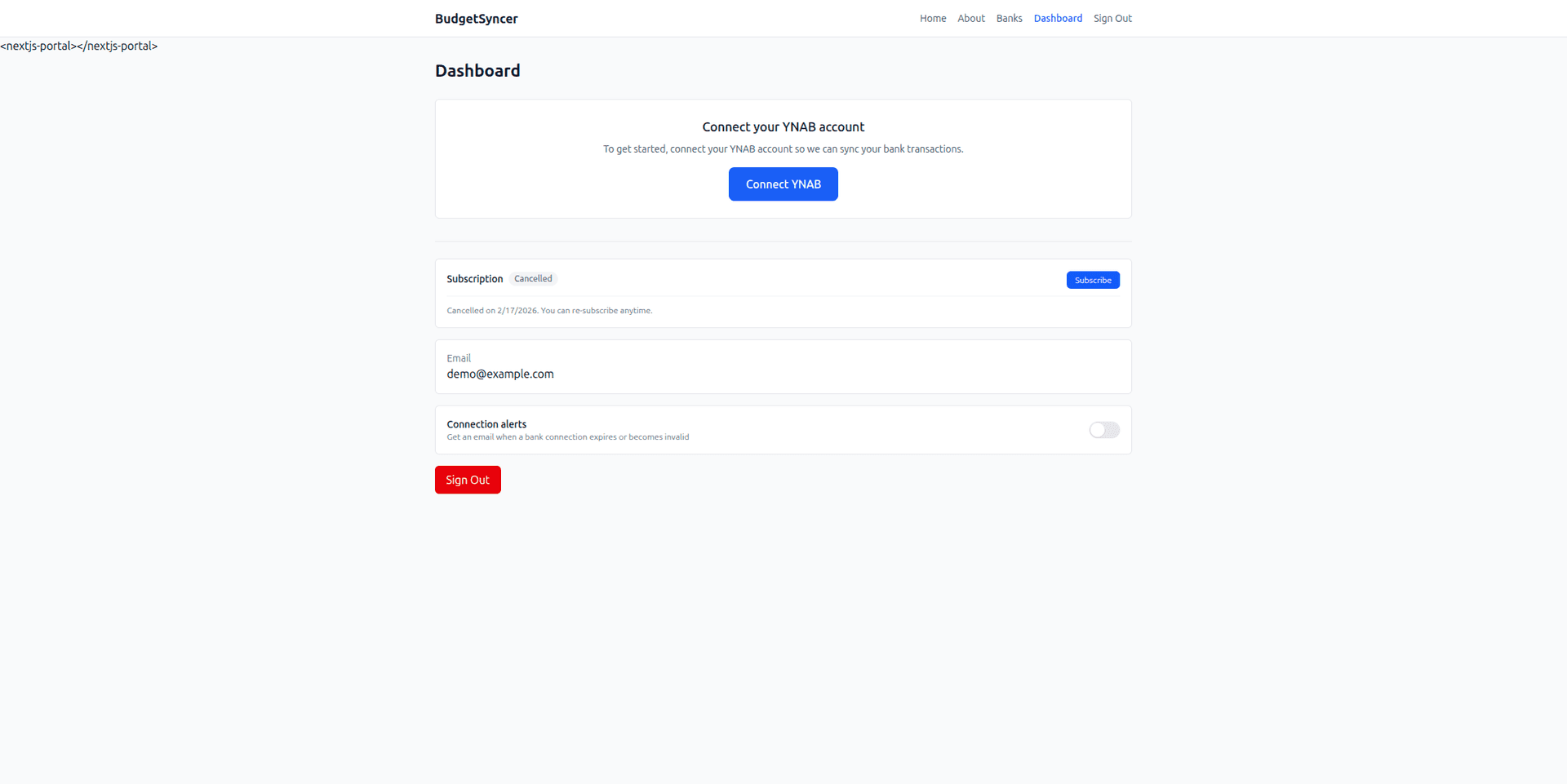
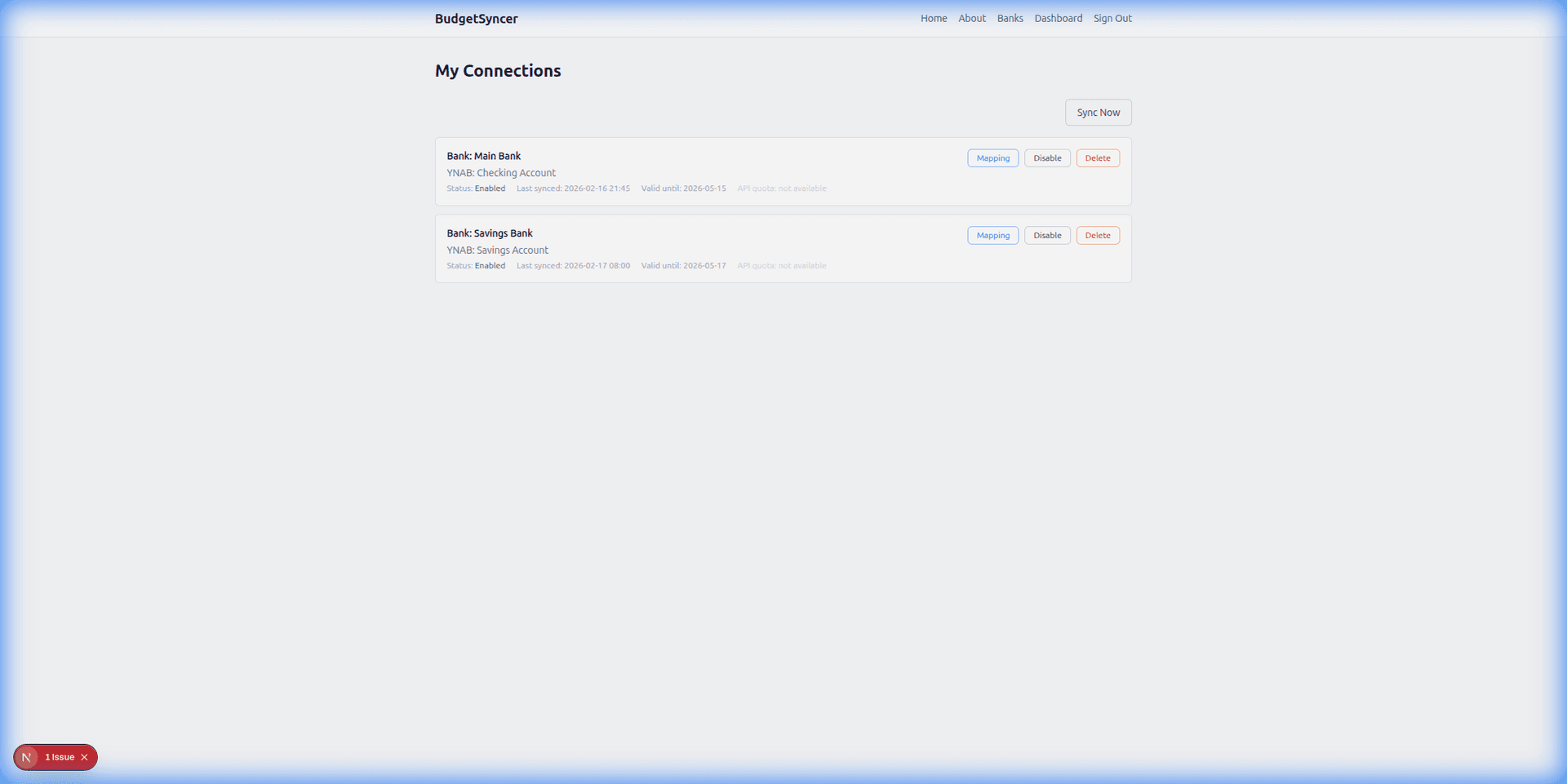
What it looks like

Connect bank flow
Choose your bank and authorize securely
Sync status
Transactions flow into YNAB automatically

FAQ

Does BudgetSyncer work with Bank Norwegian?
Yes, when Bank Norwegian is listed for Norway in BudgetSyncer’s bank directory. Search in the app under Norway to confirm your branch. BudgetSyncer is a YNAB-approved integration for syncing supported banks into YNAB.
How often does syncing happen?
BudgetSyncer pulls new transactions from Bank Norwegian automatically about four times per day and imports them into YNAB. Timing depends on when Bank Norwegian publishes transactions through its open banking API.
Do you store my bank credentials?
No. BudgetSyncer does not receive or store your Bank Norwegian online banking password. Authorization uses PSD2 open banking — you log in with your bank through a secure consent screen. Access is read-only.
Is BudgetSyncer affiliated with YNAB?
BudgetSyncer is a YNAB-approved integration. It is not affiliated with, sponsored by, or endorsed by YNAB. YNAB is a trademark of You Need A Budget, LLC.
Does YNAB support Bank Norwegian with Direct Import?
YNAB Direct Import (Plaid) only covers select banks in Norway — many users still CSV-import from Bank Norwegian. BudgetSyncer uses open banking where Bank Norwegian is listed in GoCardless.
How much does Bank Norwegian to YNAB sync cost?
BudgetSyncer is 4.99€/month including one bank connection (+1.49€/month per extra connection). You can sign up free, confirm Bank Norwegian support, and connect YNAB before subscribing.

Ready to stop CSV imports?

Create a free account, check your bank, and subscribe when you want sync enabled.

Get started

Don't see your bank?

Tell us which bank and country you need. We track demand for new institutions.