European bank sync for YNAB

The complete guide to YNAB bank syncing with BudgetSyncer

YNAB bank syncing with BudgetSyncer means European bank transactions arrive in your YNAB budget on a schedule via PSD2 open banking (Enable Banking), without weekly CSV exports. BudgetSyncer is a YNAB-approved third-party — not affiliated with YNAB — covering 2,700+ institutions across 29 of 30 European markets (as of 2026-09-30).

Support status

2,700+ institutions across 29 of 30 European markets via Enable Banking. Confirm your institution under /banks before you subscribe.

Listed by our open banking partner; not separately verified beyond the directory listing.

What is YNAB bank syncing with BudgetSyncer?

**YNAB bank syncing with BudgetSyncer** is scheduled import of European bank transactions into You Need A Budget through open banking consent and the YNAB API. You authorize YNAB once with OAuth, authorize each bank through its own PSD2 consent screen, map accounts, then let sync run on your schedule.

The product exists for European YNAB users whose bank or country is missing from YNAB Direct Import (Plaid), or whose Direct Import connection keeps breaking. Iceland and much of Central and Eastern Europe sit outside Direct Import; even in covered countries only a subset of banks appear in YNAB. BudgetSyncer’s directory lists institutions available through Enable Banking — browse live coverage at /banks or the country and bank guides under /guides.

For a shorter Europe-focused overview, see /sync/europe-bank-sync-ynab. For the mechanics in one page, see /sync/how-budgetsyncer-works.
YNAB bank syncing vs adjacent options

Three common paths put European transactions into YNAB: YNAB Direct Import, manual CSV/OFX, and BudgetSyncer (or another third-party sync tool). Prefer Direct Import when your bank already appears in YNAB and stays connected — no extra subscription. Prefer CSV when you import rarely or need older history open banking does not return. Prefer BudgetSyncer when you want scheduled European open banking sync for banks missing from Direct Import, with manual sync anytime.

BudgetSyncer is YNAB-only. If you need the same bank feed into multiple budgeting apps, another platform may fit better. A full side-by-side lives at /sync/ynab-bank-import-options-compared; CSV-focused detail is at /sync/ynab-csv-import-alternative-europe.

Some households mix tools: Direct Import on one account, BudgetSyncer on another, CSV for a one-off history backfill. Each path uses your consent independently.

Why automatic European bank feeds matter for YNAB

YNAB works when the register stays current. Delayed imports push categorization and giving decisions into the past. Manual exports break that habit: someone must download a file, upload it, and reconcile pending versus booked rows that often duplicate.

Open banking feeds reduce that chore for eligible European institutions. You still categorize in YNAB; BudgetSyncer focuses on reliable import. Shared budgets no longer wait on whoever owns the bank login to export a CSV.

Direct Import remains the least friction when it already works. BudgetSyncer’s job is the gap: banks and countries Direct Import does not cover reliably. Confirm support at /banks before you change a workflow that already works.

How automatic transactions in YNAB work with BudgetSyncer

Transactions sync automatically on your chosen schedule (default twice per day; you can add or change sync times on the connections page). Exact local times are shown for your timezone. You can also start a manual sync anytime from BudgetSyncer. With Enable Banking there is no separate daily limit on user-triggered syncs (banks may still delay publishing transactions).

After consent, BudgetSyncer fetches transactions the bank publishes through open banking and creates YNAB transactions with stable import IDs. Categorization, goals, and reports stay in YNAB. Field mapping lets you choose which bank fields fill payee, memo, date, and amount for that connection.

BudgetSyncer uses stable bank transaction IDs so pending and booked versions of the same payment do not create two YNAB rows, and on reconnect it skips overlaps that already match date, amount, and payee in YNAB. YNAB also applies its own import ID rules when transactions arrive.

Banks may delay publishing pending or booked rows. A manual sync cannot invent transactions the bank has not released yet. For pending-versus-booked behaviour and reconnect overlaps, read /sync/budgetsyncer-duplicate-transactions.

Using European bank feeds for YNAB

Coverage follows the live Enable Banking directory BudgetSyncer uses — 2,700+ institutions across 29 of 30 European markets as of 2026-09-30. Listed in the directory means the institution appears for connect; it does not guarantee every account type (for example every credit card) after you authorize.

Credit card accounts can sync where your bank exposes them through open banking. Availability varies by bank and country — confirm the accounts returned after you authorize.

Start from /banks for your country, or open a bank guide such as /sync/nordea-to-ynab, /sync/op-to-ynab, /sync/ing-to-ynab, or /sync/revolut-to-ynab if you already know the institution. Country overviews and the Direct Import comparison live under /sync/ynab-supported-banks-europe and /guides.

YNAB Direct Import covers 18 European countries with a subset of banks in each market. Prefer that list when your bank is already reliable there. Prefer BudgetSyncer when the bank is absent, the connection fails repeatedly, or you want scheduled sync plus manual sync without CSV.

The BudgetSyncer setup process from start to finish

1. Create a free BudgetSyncer account and connect your YNAB plan with OAuth. You can browse supported banks before you start a trial.

2. Start a 7-day free trial on the website or App Store — required before connecting a bank.

3. Choose country and bank, then complete the bank’s PSD2 authorization. BudgetSyncer does not store your bank password; consent is granted to the open banking session.

4. Map each returned bank account to the matching YNAB account. You can map up to 4 bank accounts per institution connection. Extra bank connections each get their own mapping allowance. One connection equals one institution login; extra institutions each get their own connection and mapping allowance.

5. After mapping, sync runs on your schedule. Transactions sync automatically on your chosen schedule (default twice per day; you can add or change sync times on the connections page). Exact local times are shown for your timezone. You can also start a manual sync anytime from BudgetSyncer. With Enable Banking there is no separate daily limit on user-triggered syncs (banks may still delay publishing transactions). Review payees and categories in YNAB as you would after any import. Adjust field mapping on the connection if payee or memo sources need a different priority.

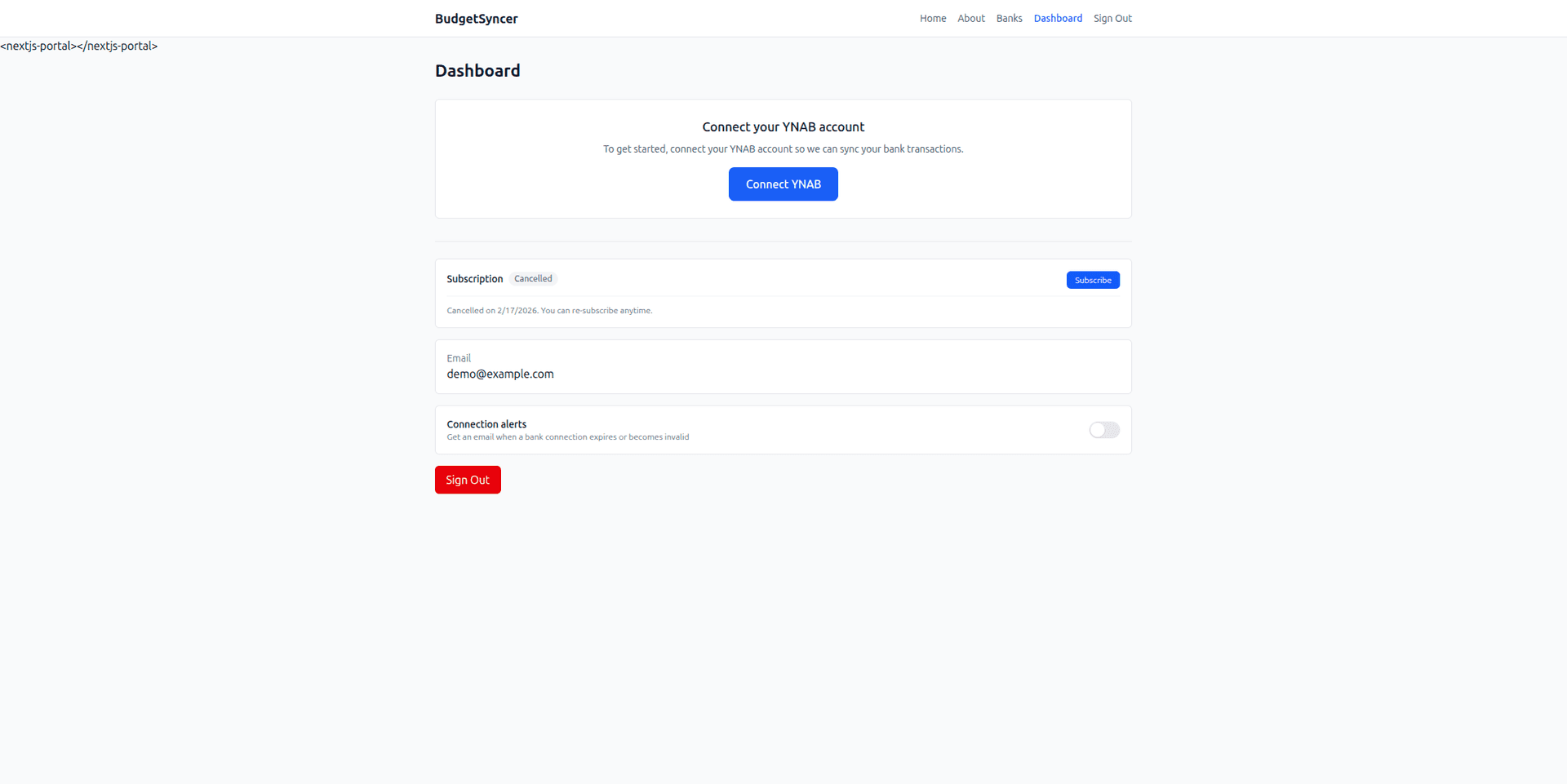
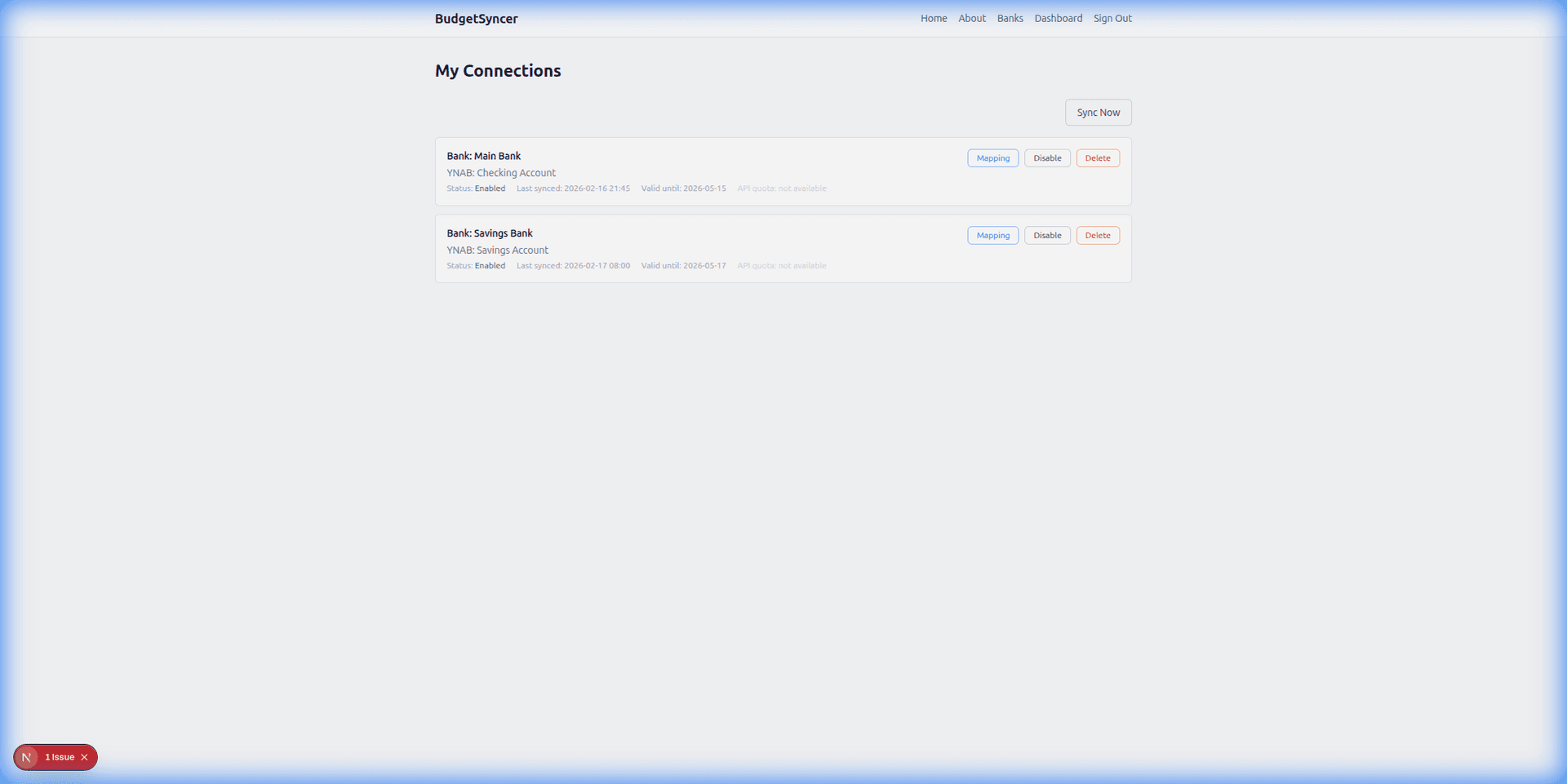
Screenshots of connect and sync status appear on product pages; the same flow is documented at /sync/how-budgetsyncer-works and /about.

What makes a secure YNAB bank connection

Bank credentials are not stored by BudgetSyncer. Access is read-only for the transaction data used to sync into YNAB. You authorize YNAB separately with OAuth and can revoke bank consent at your bank or disconnect inside BudgetSyncer anytime.

BudgetSyncer is a YNAB-approved integration and is not affiliated with, sponsored by, or endorsed by YNAB beyond that approval wording. Tokens and account data are handled under the privacy policy at /privacy.

Open banking still depends on your bank’s SCA and consent renewal rules. When consent expires, reconnect through the bank’s screen — BudgetSyncer skips overlaps that already match date, amount, and payee in YNAB so a reconnect does not dump a second full history by accident.

YNAB account matching and transaction organization

Map checking and savings (and cards when the bank returns them) to the correct YNAB account types so balances and payment flows stay coherent. You can map up to 4 bank accounts per institution connection. Extra bank connections each get their own mapping allowance.

If you remap a bank account to a different YNAB destination, import-from-date behaviour follows the new mapping — review carefully so you do not re-import into the wrong register. Pending rows appear only when you enable pending sync for that connection and the bank publishes them.

Field mapping controls which bank fields become YNAB payee, memo, date, and amount. Defaults work for many institutions; use the mapping preview with live transactions when payee names look messy. Categorization remains a YNAB task.

Manual imports versus automatic syncing

CSV or OFX import stays useful for older history open banking may not return, for products the bank never exposes via PSD2, and for one-off cleanup. Automatic sync wins for day-to-day European banks that appear in BudgetSyncer’s directory and that you want updated on a schedule.

CSV costs time and often duplicates pending and booked lines. Automatic sync still needs a subscription for ongoing use and cannot outrun bank publishing delays. Prefer the simpler tool that already works for each account.

Step-by-step on leaving CSV for open banking: /sync/ynab-csv-import-alternative-europe. Decision framing across all options: /sync/ynab-bank-import-options-compared.

Common mistakes

1. Replacing a working Direct Import connection with BudgetSyncer “just because.” Keep Direct Import when it is already reliable.

2. Mapping a credit card to a YNAB checking account. Use a YNAB credit card account when the bank returns a card feed.

3. Expecting unlimited accounts on one institution login. Stay within the mapped-account cap per connection; add another connection for another institution.

4. Assuming a manual sync will force the bank to publish missing pending rows. Sync only imports what open banking already returns.

5. Skipping the first-sync review. Odd payee strings and reconnect windows still deserve a quick pass in YNAB.

6. Treating directory listing as a guarantee of every product. Confirm accounts after authorize — especially credit cards.

What to do next

Confirm your bank at /banks. Create a free account, connect YNAB, authorize the bank, map accounts, and subscribe when you are ready. For bank-specific steps, open the matching /sync/{bank}-to-ynab guide from /guides. For coverage versus YNAB Direct Import, start at /sync/ynab-supported-banks-europe.

Cluster deep dives: /sync/how-budgetsyncer-works-with-ynab-a-practical-walkthrough, /sync/how-to-connect-a-european-bank-to-ynab-with-budgetsyncer, and /sync/ynab-bank-sync-security-vs-manual-imports-which-approach-fits.

Setup in a few minutes

  1. Create a free BudgetSyncer account and connect your YNAB plan.
  2. Start a 7-day free trial on the website or App Store (required before connecting a bank).
  3. Choose your bank and authorize via secure PSD2 open banking (no passwords stored by BudgetSyncer).
  4. Map each bank account from your login to the right YNAB account — transactions sync on your schedule, and you can sync manually anytime.

What it looks like

Connect bank flow
Choose your bank and authorize securely
Sync status
Transactions flow into YNAB automatically

FAQ

Is BudgetSyncer official YNAB software?
No. BudgetSyncer is an independent YNAB-approved third-party that uses the YNAB API with your permission. It is not affiliated with, sponsored by, or endorsed by YNAB beyond that approval.
How often does BudgetSyncer sync transactions into YNAB?
Transactions sync automatically on your chosen schedule (default twice per day; you can add or change sync times on the connections page). Exact local times are shown for your timezone. You can also start a manual sync anytime from BudgetSyncer. With Enable Banking there is no separate daily limit on user-triggered syncs (banks may still delay publishing transactions).
Does BudgetSyncer store my bank password?
No. You authorize through PSD2 open banking. BudgetSyncer does not store bank passwords. You can revoke consent at your bank or disconnect in BudgetSyncer. More detail: /sync/does-budgetsyncer-store-bank-passwords-your-questions-answered.
How many bank accounts can I map per connection?
You can map up to 4 bank accounts per institution connection. Extra bank connections each get their own mapping allowance.
Should I use BudgetSyncer if YNAB Direct Import already works?
Usually no. Prefer Direct Import when it already works reliably for that bank. Use BudgetSyncer when Direct Import is missing or unreliable, or when you want scheduled European open banking sync for that institution.
Where do I check if my European bank is supported?
Open budgetsyncer.com/banks and pick your country, or browse bank and country guides under /guides. You can create a free account and see the same list in the connection wizard before subscribing.
Can I still use CSV for history?
Yes. Open banking usually focuses on recent transactions. Use CSV or OFX for older history if you need it, then let BudgetSyncer handle ongoing imports.

Ready to stop CSV imports?

Create a free account, check your bank, and subscribe when you want sync enabled.

Get started

Don't see your bank?

Tell us which bank and country you need. We track demand for new institutions.